PDF Password Icon

PDF Password

Stop uploading your sensitive documents to the cloud.
PDF Password provides military-grade AES encryption directly on your device. Zero permissions, 100% offline, and designed for total privacy.

Get it on Google Play Join Beta Group

Beta Access Required: Join the group to install.
App Screenshot 1 App Screenshot 2 App Screenshot 3 App Screenshot 4 App Screenshot 5
🚫☁️

True Offline Privacy

Unlike other tools, we never upload your files. Encryption happens locally on your phone's processor using AES-128.

🛡️

Zero Permissions

We don't ask for Storage, Internet, or Contacts permissions. It's the only app that respects your privacy by design.

🔄

Seamless Integration

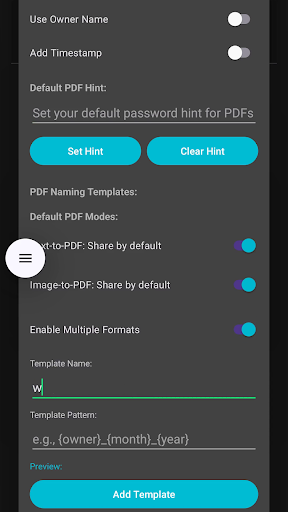
Works directly from your favorite apps. "Share" text from WhatsApp or browsers to instantly encrypt or create PDFs.

How it Works

🔐 Encryption & Decryption

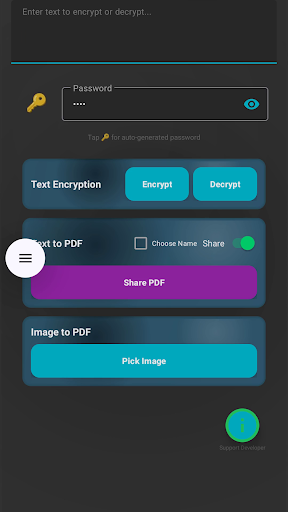
  • Enter text in the main input field
  • Click Generate to create a secure password
  • Click Encrypt to encrypt your text
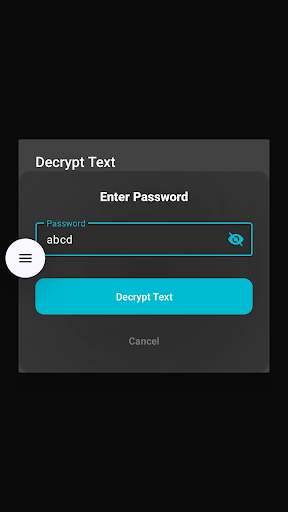
  • Click Decrypt to decrypt shared text

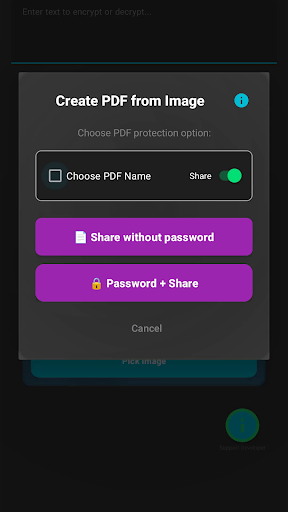
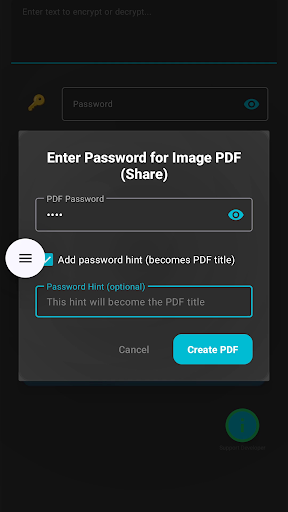
📄 PDF Creation

  • Enter content in the PDF section
  • Set filename and location
  • Click Create PDF to generate
  • Share PDF with others

🔗 Share-to-Decrypt

  • Share encrypted text to this app
  • Auto-decrypts if password available
  • Manual password entry if needed
  • Works with any text sharing app

📋 Copy Password Feature

  • Copy button appears after generating password
  • Stays visible during your session for easy copying
  • Click the copy icon to copy password to clipboard

⚠️ App Compatibility

Long-press text selection works in:

  • Browsers (Chrome, Firefox)
  • Messaging apps (WhatsApp)
  • Standard text editors

For incompatible apps (Google Docs/Keep):

  • Copy text manually (long-press → Copy)
  • Open PDF Password → Paste → Process

Creative Use Cases

🏦

The "Digital Vault" for Social Sharing

Need to send bank details, Aadhaar cards, or sensitive passwords via WhatsApp or Email?

Don't send plain text. Use PDF Password to encrypt the data first. Set the password to something only the receiver knows (like their childhood nickname). Even if your social media account is hacked or the chat is leaked, your sensitive data remains locked.

🧩

Puzzle & Quiz Master

Out-of-the-box Idea: Create an interactive text-based escape room!

Send a question (e.g., "What is the capital of France?"). Encrypt the "Congratulations! The next clue is..." message using the answer ("Paris") as the password. Users can only unlock the next clue if they guess the answer correctly. Instant validation, zero spoilers!

See it in Action

Watch how easy it is to secure your data in seconds.